Project-first navigation
Move through the repository like a file explorer. Every file and folder carries its Git state, history and relevant actions with it.
Engineering tool · Private preview
Git Integrity turns branches, files, commits and submodules into one navigable workspace. It is designed for the moment a repository becomes too important—and too interconnected—to manage from disconnected commands.
Inside the product
Real screens from the private preview. Open any image to inspect the interface at full size.
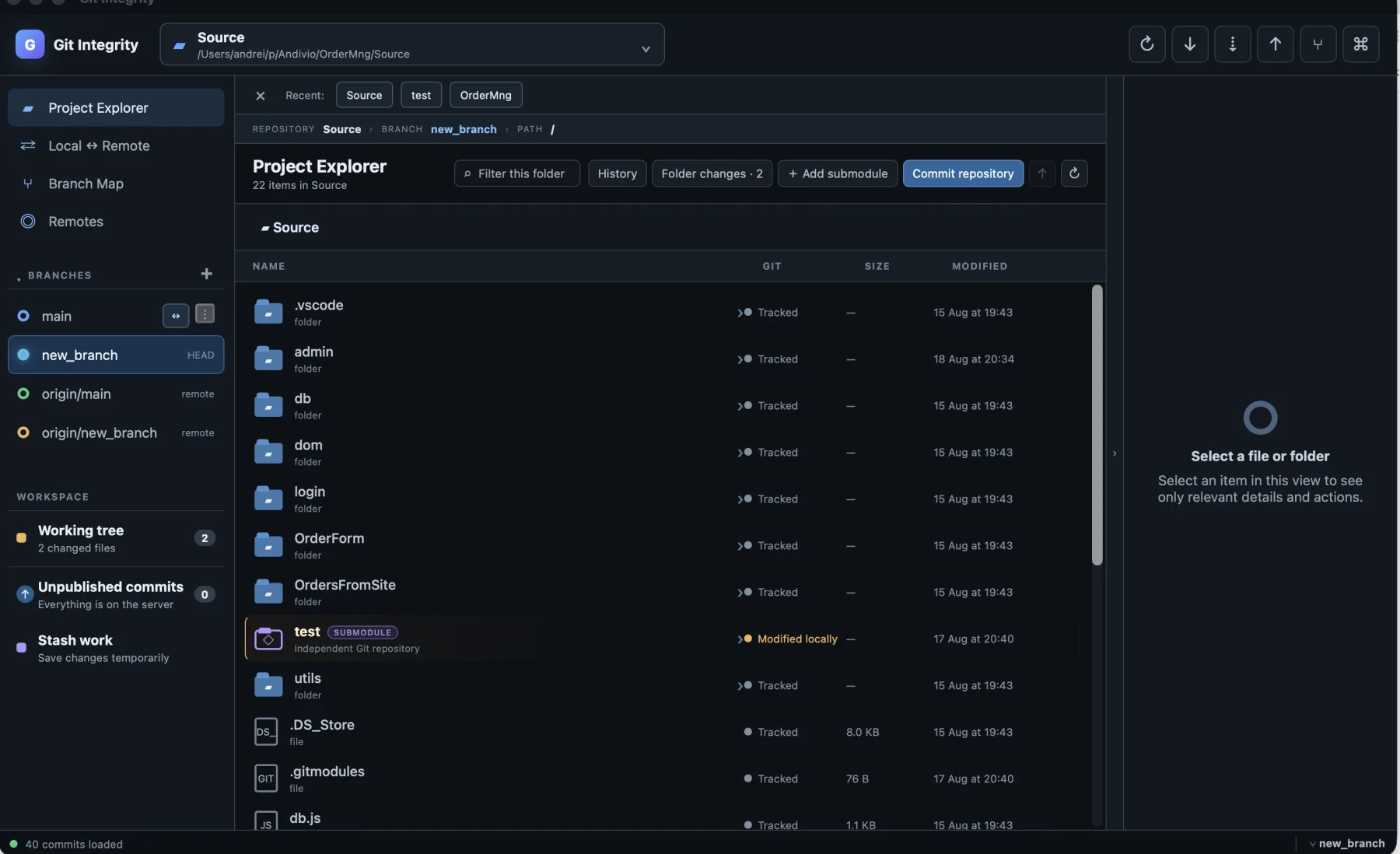
Work through a repository like a project, with the active branch, file state and submodules visible in the same place.
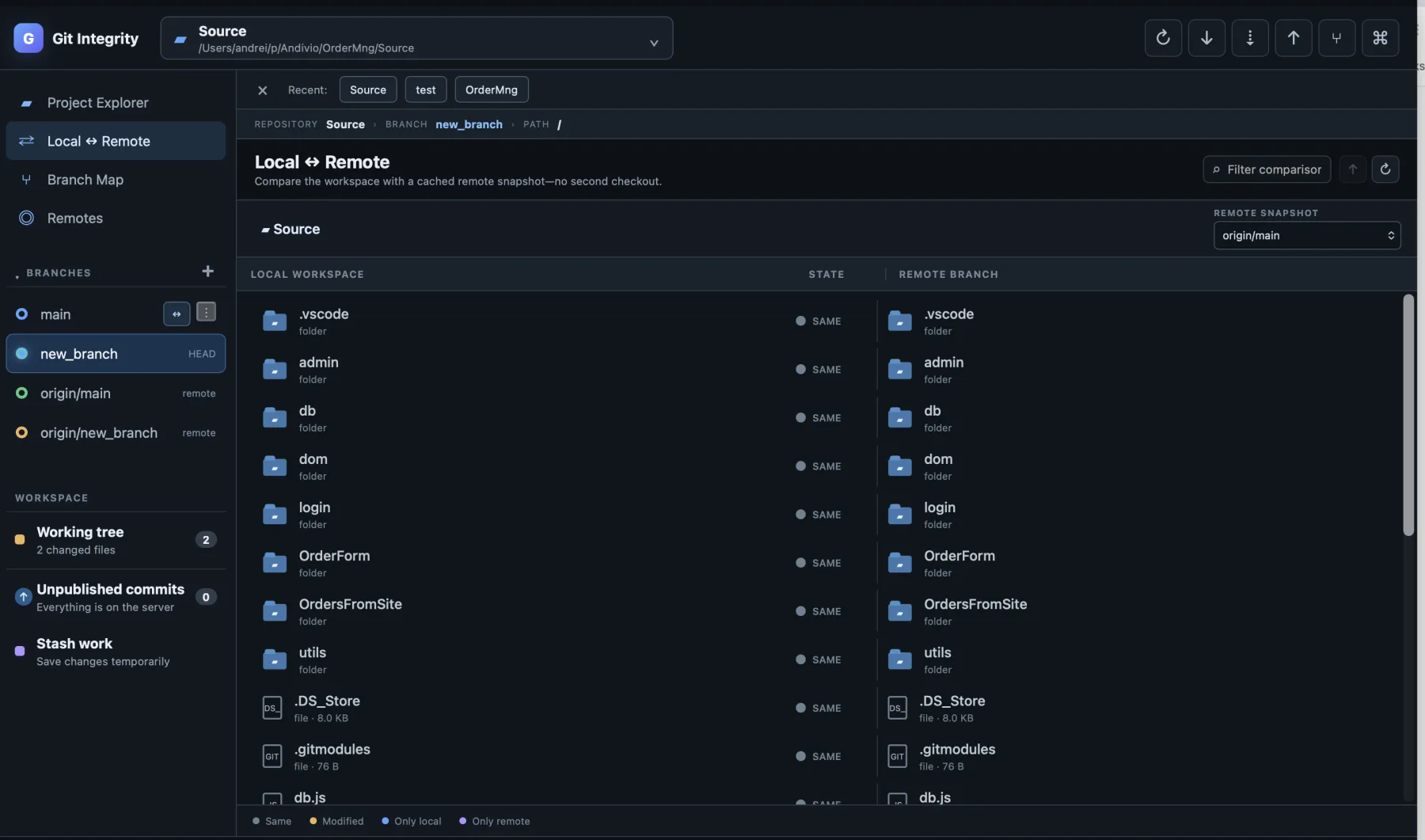
Compare the same repository location against a cached server snapshot without a second checkout.
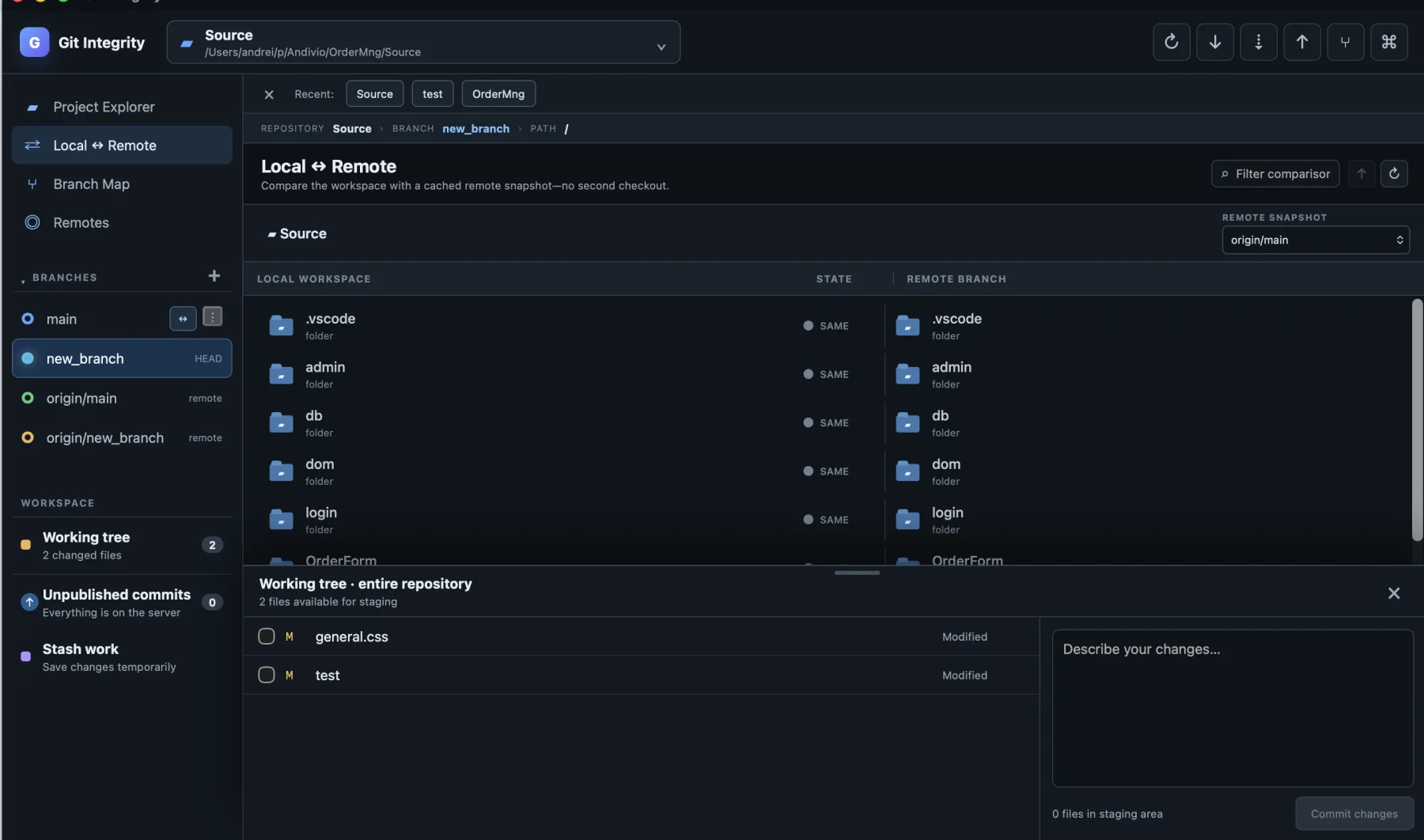
Select individual changes while keeping the repository and current branch in view.
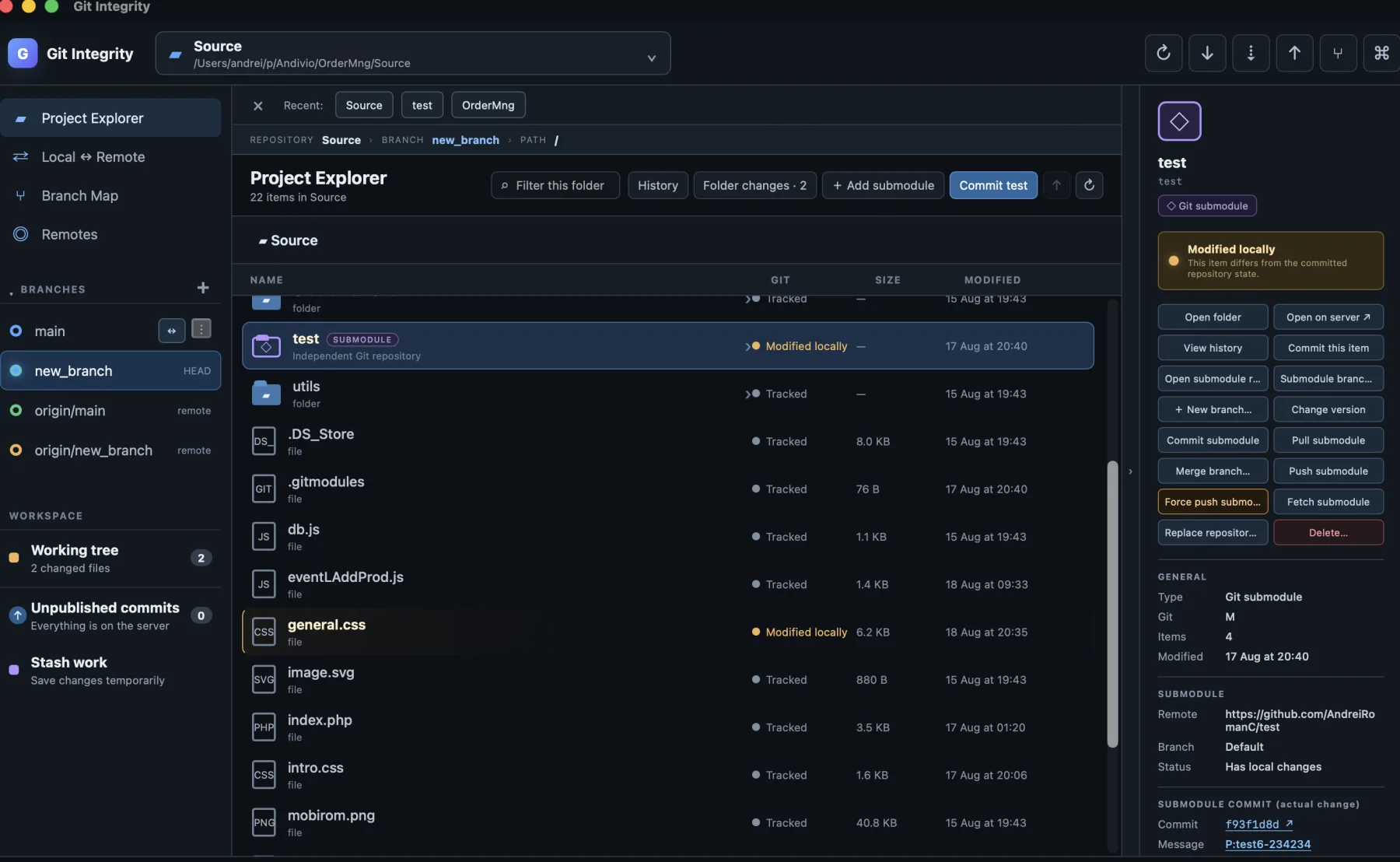
Inspect state, change versions, manage branches, commit and publish without losing the parent repository context.
Why it exists
A branch graph should show where work actually split. A submodule should look and behave like a repository, not an obscure folder. A commit should be scoped to the file or module you are working on—not assembled from a global list you have to mentally filter.
Git Integrity keeps Git terminology and Git semantics. The difference is the visual model: larger nodes, explicit parent relationships, clear local/server state and actions placed where the work is.
What makes it different
Each capability is useful on its own. Together, they remove the context switching that makes Git feel harder than it is.
Move through the repository like a file explorer. Every file and folder carries its Git state, history and relevant actions with it.
Commit the current file, the current folder or a deliberate selection. Local-only files stay local when deleted; tracked deletions become explicit changes.
Linear history stays linear. A new lane appears only when a branch actually splits, and merges show every parent without decorative noise.
See a submodule's own branch, commits and server state. Change version, create a branch, commit inside it, push it and update the parent link.
Browse the same location on both sides without cloning the server again. Differences are marked and both files scroll as one comparison.
Restore, stage, delete, publish and reset actions explain their scope before they run. The result is refreshed where you are working.
The submodule workflow
Git Integrity treats a submodule as two connected repositories. It shows what changed inside the submodule and what the parent repository records, so the two commits are never confused.
Private preview
No. The desktop application uses the operating system webview and a native Git backend, keeping the delivered build under 8 MB on macOS.
No. Those are build-time technologies. The delivered macOS and Windows applications are intended to run without a development environment.
Yes. HTTPS credentials can be supplied for the operation that needs them, and SSH can use the system agent. Credentials are not stored by Git Integrity.
Not yet. The product is in private preview while the workflows and packaging are being hardened. We prefer to show the working application before publishing a repository that still needs release documentation.
Next step
We will use the demo to walk through its branches, submodules and local/server state. No prepared toy repository required.
Newsletter
No schedule and no filler — a few times a year, on what actually worked. One click to leave.